

A virtual birthday fireworks celebration is a specially designed online event that uses digital fireworks animations and interactive effects to create a festive, shared experience for the birthday guest and everyone watching from home. Distance no longer means missing the moment. With AI-powered tools like Framia, interactive platforms like Flat.social, and group memory boards like Happy-milo's Happy Wall, you can build a birthday event that feels genuinely alive. This guide walks you through every step: choosing the right tools, timing your fireworks for maximum emotional impact, and keeping guests engaged from the first message to the final burst of color.
👉 Discover our all fireworks animation on the happy wall
What tools enable a virtual birthday fireworks celebration?
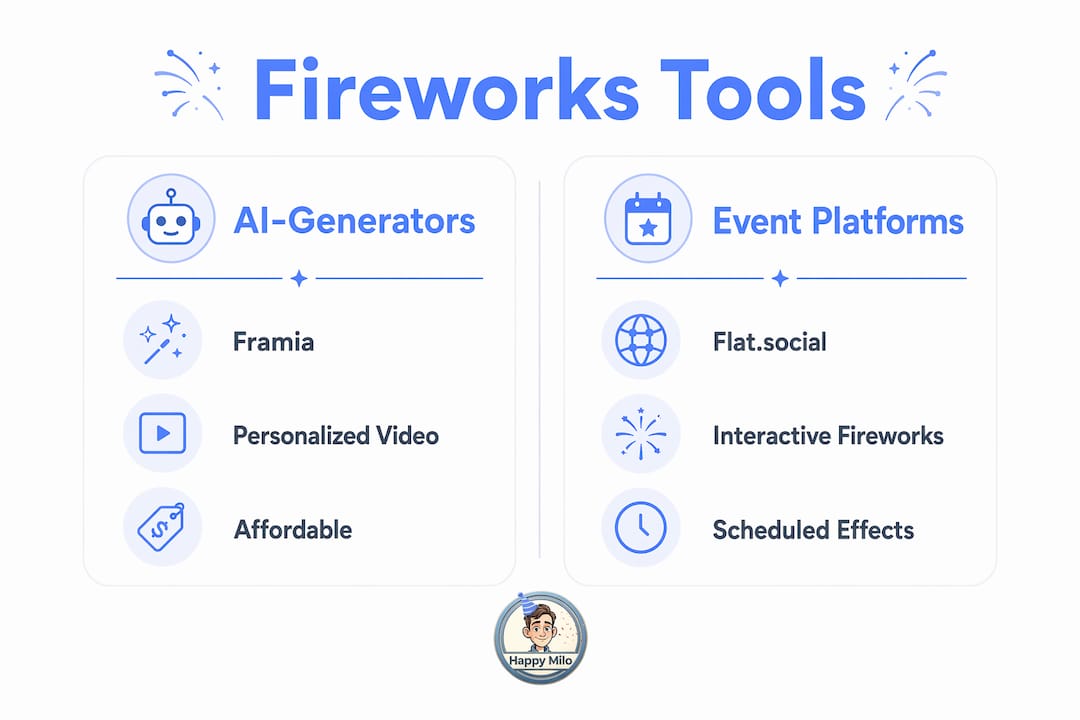
The right tools make the difference between a forgettable video call and a birthday your guests talk about for months. Three categories of tools cover everything you need: fireworks generators, virtual event platforms, and digital invitation builders.
Ai-powered fireworks video generators
Framia transforms a portrait photo into a cinematic fireworks video in under 45 seconds, exporting as an MP4 loop ready for social media or screen-sharing. That speed matters. You can create a personalized fireworks clip the morning of the party and have it ready before guests log on. The base version is free, which removes the cost barrier for casual celebrations.
Developers who want more control can build lightweight fireworks effects using HTML, CSS, and the Canvas API. CSS variables handle color theming, so you can match the fireworks palette to the birthday person's favorite colors without loading heavy libraries that might crash a browser mid-party.
Virtual event platforms with built-in fireworks
Flat.social integrates fireworks as a live reaction tool, scheduled for emotional peaks like toasts and cake-cutting moments. Guests trigger the effect together, which creates a shared, synchronized experience rather than a passive viewing moment. That interactivity is what separates a digital birthday party from a standard video call.
Digital invitations with video or AR fireworks
Personalized digital invitations with video or augmented reality generate 4.2 times higher RSVP rates than static image invitations. Higher attendance directly improves the energy of the live event. Tools like MessageAR let you embed a short fireworks animation directly into the invitation, so guests experience the celebration's tone before the party even starts.
Tool comparison at a glance
| Tool | Best For | Fireworks Type | Cost |
|---|---|---|---|
| Framia | Personalized video clips | AI-generated MP4 loops | Free (base) |
| Flat.social | Live group interaction | Scheduled reaction effects | Freemium |
| MessageAR | Invitations with AR effects | Embedded AR animations | Paid tiers |
| HTML/CSS Canvas | Custom web-based effects | Coded, color-customizable | Free (dev skill needed) |
| Happy-milo Happy Wall | Group messages and fireworks | Virtual animation overlays | Free to start |
👉 Discover our all fireworks animation on the happy wall
Pro Tip: Match your fireworks style to the event theme. A kids' party works best with bright, cartoonish bursts. An adult milestone birthday calls for gold and silver cinematic effects. Framia's MP4 output and Flat.social's color settings both support this kind of personalization.
How do you integrate fireworks into your birthday party agenda?
Timing is everything. A fireworks animation shown at the wrong moment feels like a screen glitch. Shown at the right moment, it becomes the emotional highlight of the night.
Virtual event experts recommend focusing on fewer, meaningful interaction beats rather than running continuous effects throughout the event. Virtual fatigue is real, and guests disengage when stimulation is constant. One well-timed fireworks burst at the toast lands harder than ten scattered animations across two hours.
Here is a proven four-beat structure for a 75–90 minute virtual birthday event:
- Opening welcome (minutes 1–10). Start with a short video montage or a pre-collected group message reel. This builds emotional warmth before the birthday person even speaks. Save the fireworks for later.
- Milestone story segment (minutes 11–35). Share photos, memories, or a short tribute video. Asynchronous tools like group message boards or pre-recorded video tributes build anticipation here, making the live fireworks moment feel earned rather than forced.
- Toast and fireworks peak (minutes 36–50). This is your primary fireworks moment. Trigger the effect on Flat.social or share your Framia MP4 clip immediately after the toast. Everyone fires the reaction simultaneously. The emotional payoff is highest here.
- Wrap-up and keepsake sharing (minutes 51–75). Close with a group photo, a shared digital card, or a link to the Happy Wall where guests can leave lasting messages. Structured event durations of 75–90 minutes with 3–4 mini-segments consistently improve guest engagement and reduce drop-off.
Pro Tip: Always prepare a low-bandwidth fallback. A simple GIF fireworks animation hosted on a lightweight page loads on nearly any connection. If your Flat.social effects stall or your MP4 won't stream, the GIF keeps the moment alive without technical embarrassment.
Step-by-step guide to creating your virtual fireworks event
You do not need a production team or a big budget. Follow these steps and you will have a polished, memorable online birthday fireworks event ready to run.
Step 1: prepare your fireworks content
Collect a clear portrait photo of the birthday person. Upload it to Framia and generate your personalized fireworks MP4 in under 45 seconds. Download the file and test it on your screen-sharing software before the event. If you want a custom color scheme, a developer on your team can build a Canvas API fireworks page in under an hour using open-source CSS variable templates.
Step 2: build your digital invitation
Create a video invitation using MessageAR or a similar AR invitation tool. Embed a short fireworks preview so guests know the event will be festive and interactive. Send the invitation at least one week in advance. Video and AR invitations generate 4.2 times more RSVPs than static images, so this step directly affects your attendance numbers.
Step 3: set up your virtual platform
Choose Flat.social for a fully interactive experience with built-in fireworks reactions. Create your event room, schedule the fireworks reaction for the toast segment, and send the room link to confirmed guests. Test the fireworks feature in a private session the day before the party.
Step 4: collect asynchronous messages beforehand
Open a digital birthday memory board or a Happy-milo Happy Wall one week before the event. Ask guests to leave video messages, photos, and written wishes. Play the collected messages during the opening segment. This pre-event engagement creates emotional momentum that makes the live fireworks moment feel like a genuine culmination.
Step 5: run the live event
Follow your four-beat agenda. Keep each segment tight. Assign a co-host to manage the chat and monitor technical issues while you focus on the birthday person. Trigger the fireworks effect at the toast. Share your Framia MP4 via screen share immediately after.
Step 6: share the keepsake
After the event, share a link to the Happy Wall so guests can revisit messages and photos. Export the Framia fireworks video as a shareable file the birthday person can keep. These durable artifacts extend the celebration well beyond the live session.
Common technical issues and quick fixes:
- Fireworks animation not loading: Switch to the GIF fallback. Host it on a simple webpage and share the link in the chat.
- Screen share lag: Lower your video resolution in the platform settings before sharing the MP4.
- Guests missing the fireworks moment: Announce the toast 60 seconds in advance in the chat so everyone is watching.
- Platform crashes: Have a backup Zoom or Google Meet link ready and share it in a group text before the event starts.
What are the most common challenges in virtual fireworks celebrations?
Even well-planned events hit friction. Knowing the problems in advance lets you solve them before they derail the celebration.
Bandwidth and platform limitations
High-definition fireworks videos demand bandwidth that not every guest has. A guest on a mobile connection in a rural area will buffer while everyone else watches the climax. The fix is simple: offer both a full-quality MP4 stream and a lightweight fireworks animation built with HTML and CSS. The lightweight version loads on almost any connection and still delivers the visual impact.
Virtual fatigue and disengagement
Virtual fatigue is the single biggest threat to a digital birthday party. Guests lose focus when events run long or when interaction is passive. Experts recommend keeping the total event to 75–90 minutes and building in 3–4 active participation moments. Fireworks reactions, live polls, and group toasts all count as active moments. Passive video watching does not.
Keeping the event warm and personal
A screen full of faces can feel cold if the event is broadcast-only. Hosts who facilitate meaningful, interactive segments and personalized messages consistently report higher guest satisfaction than those who run one-way presentations. Send a small physical care package to the birthday person before the event. Even a card in the mail makes the digital fireworks moment feel grounded in real affection.
Fallback options when technology fails
Technology fails. Accept it and plan for it. Here is a quick reference table for the most common problems:
| Problem | Cause | Solution |
|---|---|---|
| Fireworks video won't load | Bandwidth or codec issue | Switch to GIF animation fallback |
| Platform crashes mid-event | Server overload or browser bug | Share backup meeting link via group text |
| Guests can't see screen share | Permission or browser settings | Ask guests to refresh and rejoin |
| Fireworks timing feels off | No pre-event rehearsal | Run a 15-minute tech check the day before |
| Low guest energy | Event running too long | Cut to the toast segment and trigger fireworks early |
The most authentic virtual celebrations combine pre-event emotional buildup, a tight live agenda, and a shareable keepsake. When all three are in place, the fireworks moment lands exactly as intended: as a genuine burst of shared joy, not a technical demo.
Key takeaways
A successful virtual birthday fireworks celebration depends on choosing the right tools, timing your effects at emotional peaks, and keeping the total event under 90 minutes with 3–4 active interaction segments.
| Point | Details |
|---|---|
| Use AI fireworks generators | Framia creates personalized fireworks MP4s in under 45 seconds for free. |
| Time fireworks at the toast | Trigger effects at emotional peaks like toasts for maximum shared impact. |
| Keep events to 75–90 minutes | Structured short events with 3–4 segments reduce virtual fatigue significantly. |
| Collect messages before the event | Pre-event group messages and video tributes build anticipation and warmth. |
| Always prepare a fallback | A lightweight GIF or CSS animation saves the moment when bandwidth fails. |
Make every birthday unforgettable with Happy-milo
Happy-milo was built for exactly this kind of moment. The Happy Wall lets everyone in the birthday person's life leave messages, photos, and memories in one shared space, with no limit on contributors. Add virtual fireworks animations directly to the wall and watch the confetti fall as wishes pour in from across the world. Use the Happy Agenda to schedule your event, set reminders for key dates, and coordinate the whole celebration without a single missed moment. Whether you are planning a surprise party for a friend across the country or organizing a team birthday at work, Happy-milo gives you the tools to make it feel real, warm, and worth remembering.
[IMAGE:cta_image]
Start your Happy Wall today and turn distance into something beautiful.
FAQ
What is a virtual birthday fireworks celebration?
A virtual birthday fireworks celebration is an online birthday event that uses digital fireworks animations, interactive effects, and shared platforms to recreate the festive energy of a live celebration for guests joining remotely.
How do i add fireworks to a virtual birthday party?
Use a tool like Framia to generate a personalized fireworks MP4 from a photo, or use a platform like Flat.social that includes built-in fireworks reactions guests can trigger together during the toast.
How long should a virtual birthday party last?
Research recommends keeping virtual milestone celebrations to 75–90 minutes, structured into 3–4 mini-segments, to maintain guest attention and avoid virtual fatigue.
Do video invitations really improve attendance?
Yes. Personalized video or AR invitations generate 4.2 times higher RSVP rates than static image invitations, making them one of the highest-impact steps in planning a digital birthday party.
What should i do if the fireworks animation fails during the event?
Switch immediately to a lightweight GIF fallback or a simple HTML/CSS fireworks page. Prepare this backup before the event and keep the link ready to paste into the chat if the primary effect stalls.