


An online birthday Twitch stream is a live, interactive digital celebration that unites friends and family through gaming, chat, and multimedia on the Twitch platform. Unlike a standard video call, a Twitch birthday celebration gives you a real broadcast setup: live chat reactions, on-screen graphics, multiplayer games, and a shared viewing experience that feels closer to a real party. Tools like OBS Studio for streaming, Streamlabs for overlays, and Jackbox Games for group play are the building blocks of a great birthday live stream. Whether your guests are across town or across the world, this format turns distance into a non-issue.
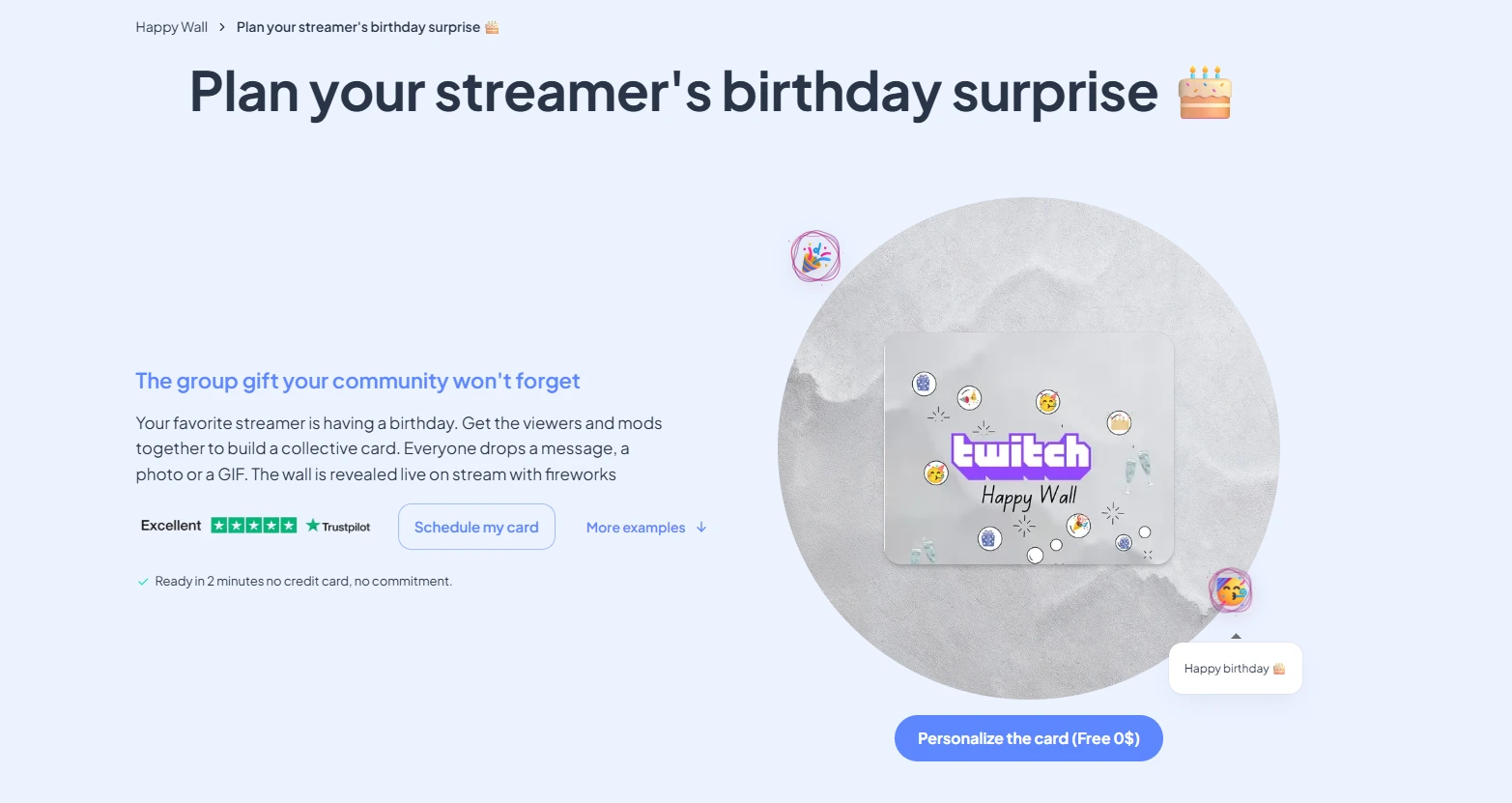
👉 Create an streamer birthday card to sign by community
What is an online birthday Twitch stream and how does it work?
A Twitch birthday celebration is a structured live event hosted on Twitch, where the birthday person broadcasts to invited guests who join via chat, video, or both. The platform's community tools, including chat bots, channel point rewards, and polls, make it far more interactive than a passive video call. You control the show: you set the scenes, queue the music, and cue the emotional moments.
The standard industry term for this format is a "birthday live stream," though many hosts also call it a virtual birthday party. Both terms describe the same thing: a real-time, hosted online event with a planned structure. Twitch simply provides the most feature-rich environment for pulling it off, especially when your guest list includes gamers, streamers, or anyone comfortable with live video.
Typical events run 6 to 12 hours with varied segments to keep energy high. That range gives you room for a warm welcome, interactive games, a tribute video, and a proper cake moment, without rushing anyone off the call.
How long should a Twitch birthday celebration last?
Birthday streams on Twitch typically last 6 to 12 hours, structured around a warm-up period of 30–60 minutes followed by 4–6 hours of interactive games, music, and community Q&A segments. That structure keeps the event from feeling like one long, shapeless video call. Guests know what to expect, and you know what comes next.
Building your event timeline
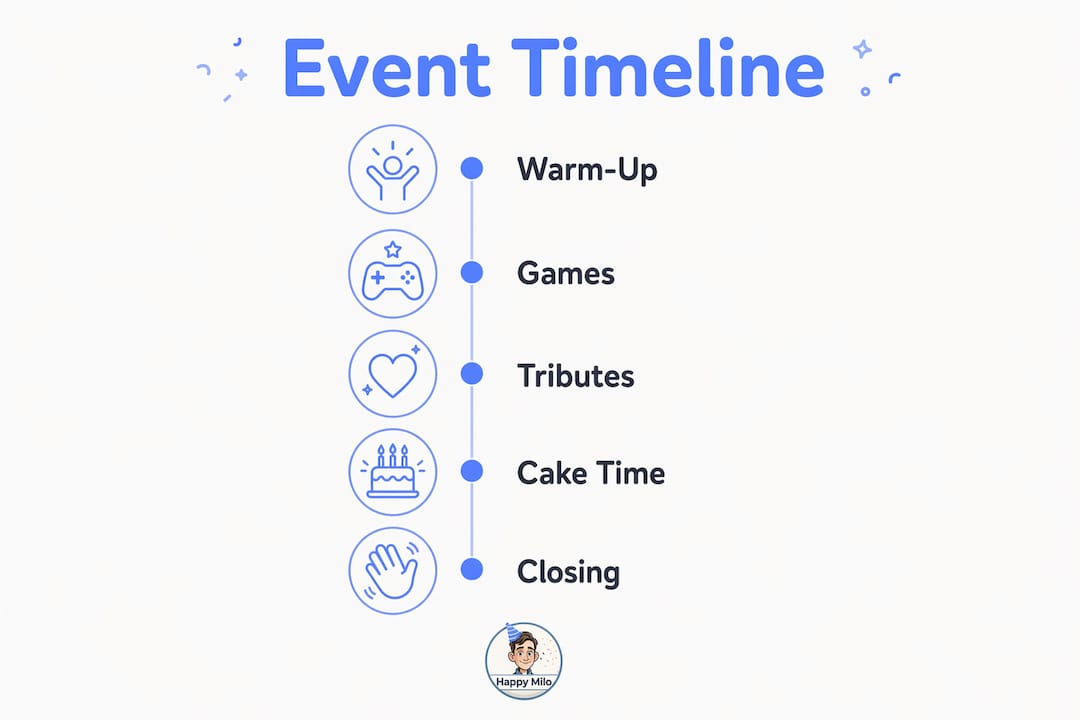
A well-paced birthday live stream follows a clear arc. Here is a proven structure you can adapt:
- Welcome and mingling (30–60 minutes): Guests arrive, chat opens, and you play a curated playlist. This is your warm-up. Keep it low-pressure.
- Tribute video (15–20 minutes): A pre-recorded montage of messages and photos from friends and family. This is your first emotional peak.
- Interactive games (90–120 minutes): Jackbox Games, trivia, or a Minecraft private server session. This is the energy center of the event.
- Community Q&A (30–45 minutes): Chat asks questions, guests share memories, and the birthday person responds live.
- Cake moment and toast (15–20 minutes): The most choreographed segment. Cue your guests, count down together, and blow out the candles on camera.
- Closing and keepsakes (15–30 minutes): Share a highlight reel link, thank guests, and wrap up with a final song.
Schedule a new segment every 60–90 minutes. That rhythm prevents fatigue and gives late arrivals a natural entry point into the celebration.
Pro Tip: Add a countdown timer graphic between segments using OBS Studio. It signals a transition is coming and keeps chat active while you reset.
👉 Create an streamer birthday card to sign by community
The cake-cutting moment deserves special attention. Emotional peaks like cake cutting need explicit cues and choreography to land well without physical presence. Tell your guests exactly when to grab their own cake or drink, count down out loud, and use a chat command like "!celebrate" to trigger a fireworks animation. That small ritual creates a shared moment that guests actually remember.
How to plan and set up your Twitch birthday stream
Good planning is what separates a smooth birthday online streaming event from a chaotic one. Start your checklist at least two weeks out.
Pre-event planning checklist
- Send invitations 14 days ahead. Sending invitations at least 14 days in advance maximizes attendance. Include the Twitch channel link, event start time, and time zone conversions for every guest location.
- Schedule a 15-minute tech rehearsal. Run through your OBS scenes, audio levels, and camera angles with your co-host or moderator the day before. A 15-minute rehearsal reduces live issues significantly.
- Set up your OBS scenes. Build at least four scenes: an intro screen with countdown, a main camera view, a gallery view for group moments, and a slideshow scene for the tribute video.
- Secure your stream key. Never share your Twitch stream key publicly. Treat it like a password.
- Enable two-factor authentication on your Twitch account before the event.
- Choose your privacy setting. Twitch offers public streams, but for a private birthday event, consider streaming to a password-protected Discord stage or using a Twitch Squad Stream with a closed invite list.
- Install a chat moderation bot. Nightbot or Streamlabs Chatbot can filter spam and run commands automatically, keeping your chat clean and fun.
Equipment and connection requirements
| Item | Minimum requirement | Recommended |
|---|---|---|
| Internet upload speed | 5 Mbps | 10+ Mbps |
| Webcam | 720p (HD) | 1080p (Full HD) |
| Microphone | Built-in laptop mic | USB condenser mic (e.g., Blue Yeti) |
| Streaming software | OBS Studio (free) | Streamlabs (free, with overlays) |
| Lighting | Natural window light | Ring light or key light |
Pro Tip: Test your full setup at the exact time of day you plan to stream. Internet speeds and lighting conditions change throughout the day, and a noon rehearsal will not tell you what your 7 p.m. stream will look like.
For event planning guidance that applies beyond the digital space, a structured checklist approach works just as well for online birthday streaming as it does for in-person events.
What interactive activities work best for a birthday gaming stream?
Interactive activities are what transform a passive viewing experience into a genuine virtual birthday party. The goal is to give every guest something to do, whether they are on camera or in chat.
Games and activities that work on Twitch
- Jackbox Games: Titles like Quiplash, Trivia Murder Party, and Drawful 2 are built for mixed audiences. Guests join from their phones using a room code, no console required. This is the single most reliable party game format for online birthday streaming.
- Custom birthday trivia: Build a 15-question quiz about the birthday person using Google Forms or Kahoot. Questions like "What was their first job?" or "What is their most-used emoji?" get chat laughing and guessing.
- Minecraft private server: For gaming-focused groups, a private Minecraft server session lets guests build something together in real time. It is collaborative, visual, and endlessly shareable.
- Chat challenges: Use Twitch channel points to let viewers vote on what the host does next. Spin a wheel, pick a dare, or unlock a song request. This keeps passive chat viewers engaged throughout.
- Watch-along segments: Queue up a shared YouTube playlist or a short film clip everyone watches simultaneously. Use a browser extension like Teleparty to sync playback.
Participation tiers: stage guests vs. chat viewers
Twitch allows distinct participation tiers: active guests on video calls participate on "stage," while the general audience interacts through chat and reactions. This tier system prevents overcrowding and serves mixed participation levels well.
| Participation tier | How they join | Best activities |
|---|---|---|
| Stage guests (on camera) | Video call or Twitch Squad Stream | Jackbox, tribute readings, toasts |
| Chat viewers | Twitch chat | Polls, trivia guesses, channel point rewards |
| Passive viewers | Watch-only | Tribute video, music sets, highlight reels |
Pro Tip: Assign one person to monitor chat full-time during the event. They can surface great comments, answer questions, and call out guests by name, which makes chat viewers feel seen and included.
For more streamer birthday ideas that work specifically on Twitch, Happy-milo has a dedicated resource worth bookmarking before you start planning.
How do you create emotional and memorable moments online?
The most memorable birthday live streams are built around emotional anchors, not just games. These are the moments guests talk about afterward.
Pre-recorded tribute video
A tribute video montage provides an emotional anchor and enhances viewer connection to the birthday person. The tribute video typically makes up 10–15% of total event time. Collect short video clips from friends and family in advance using a shared Google Drive folder or a platform like Tribute.co. Edit them into a single video with a music bed and display it as a scene in OBS. This segment reliably produces the biggest emotional reaction of the entire event.
For a deeper look at how to structure this kind of content, the group birthday tribute guide from Happy-milo walks through the process step by step.
Other emotional anchors to build in
- Personal letters read aloud: Ask two or three close friends to write a short letter and read it live on camera. This is low-tech and high-impact.
- Photo slideshow: Build a slideshow of photos from the birthday person's life and set it to their favorite songs. Display it as an OBS scene during a quieter segment.
- Birthday toast: Coordinate a simultaneous toast across all camera guests. Count down in chat, raise glasses together, and let the moment breathe.
- Fireworks in chat: Set up a Twitch chat command that triggers a fireworks animation overlay in OBS. When guests type "!fireworks," the screen lights up. It sounds simple, but it works.
- Digital memory board: After the event, compile the photos, messages, and chat highlights into a digital birthday memory board that the birthday person can revisit anytime.
Pro Tip: Record the entire stream and export a highlight reel within 48 hours of the event. Send it to all guests as a post-event keepsake. That follow-up extends the joy of the celebration well beyond the live moment.
Choreographing emotional peaks like candle blowing or toasts enhances the virtual celebration's impact. Without physical presence, well-rehearsed transitions and audience cues are what create the feeling of a shared, spontaneous moment.
How do you manage challenges during a live birthday stream?
Even well-planned streams hit bumps. The difference between a smooth event and a stressful one comes down to preparation and the right support structure.
Avoiding dead air and awkward silences
Detailed agendas with transition scenes help avoid awkward silences and keep audience engagement high. Dead air is the enemy of live events. Fill every gap with a countdown timer, a music track, or a pre-recorded clip. Never rely on spontaneous conversation to carry a transition.
Treat your birthday stream as a production, not a meeting. Meeting fatigue is avoided when online birthday streams are treated as entertainment events rather than formal gatherings. That mindset shift changes how you prepare and how guests experience the event.
Your support team
- Co-host: Keeps the energy up when you need a break. Introduces segments, welcomes new arrivals, and fills silence naturally.
- Chat moderator: Monitors chat for spam, surfaces great comments, and runs bot commands. This role is critical for events with more than 20 guests.
- Tech producer: Manages OBS scene switching, audio levels, and troubleshooting. Ideally a separate person from the host.
A dedicated co-host or producer handles chat moderation and technical issues, freeing the birthday host to focus on celebrating. That division of labor is what keeps the event feeling effortless from the guest's perspective.
Handling technical issues live
- Keep a backup audio source ready (a phone hotspot) in case your main internet drops.
- Have OBS set to automatically reconnect to Twitch if the stream disconnects.
- Prepare a "Be Right Back" scene with music and a graphic so guests are not staring at a black screen during a fix.
- Test your microphone and camera 30 minutes before going live, not just the day before.
Pro Tip: Create a private group chat with your co-host and tech producer before the event. Use it to communicate silently during the stream without interrupting the broadcast.
Spatial tools that enable small-group mingling reduce social pressure and imitate physical party flow more naturally. For larger events, consider breaking guests into smaller video rooms between segments using Discord stages or Zoom breakout rooms, then bringing everyone back together for the main moments.
For additional private party planning tips that translate well to virtual events, the fundamentals of guest flow and timing apply whether you are online or in person.
Key Takeaways
A successful online birthday Twitch stream requires a structured timeline, a dedicated support team, and planned emotional anchors to create a celebration guests genuinely remember.
| Point | Details |
|---|---|
| Structure your event in segments | Plan segments every 60–90 minutes to maintain energy and give guests natural entry points. |
| Send invitations 14 days ahead | Include time zone conversions and a Twitch channel link to maximize attendance. |
| Assign a co-host and moderator | Divide roles so the birthday host focuses on celebrating, not troubleshooting. |
| Build in emotional anchors | A tribute video, personal letters, and a choreographed toast create the moments guests remember. |
| Capture and share a highlight reel | Export a post-event video within 48 hours and send it to all guests as a lasting keepsake. |
Make your Twitch birthday celebration even more special with Happy-milo
Your birthday live stream deserves a keepsake that lasts beyond the final scene. Happy-milo's Happy Wall lets every guest, whether they joined on camera or watched from chat, leave a personal message, photo, or memory in one shared digital space. Unlike a group text or a comment thread, the Happy Wall collects every wish in a beautiful, permanent display the birthday person can revisit anytime.
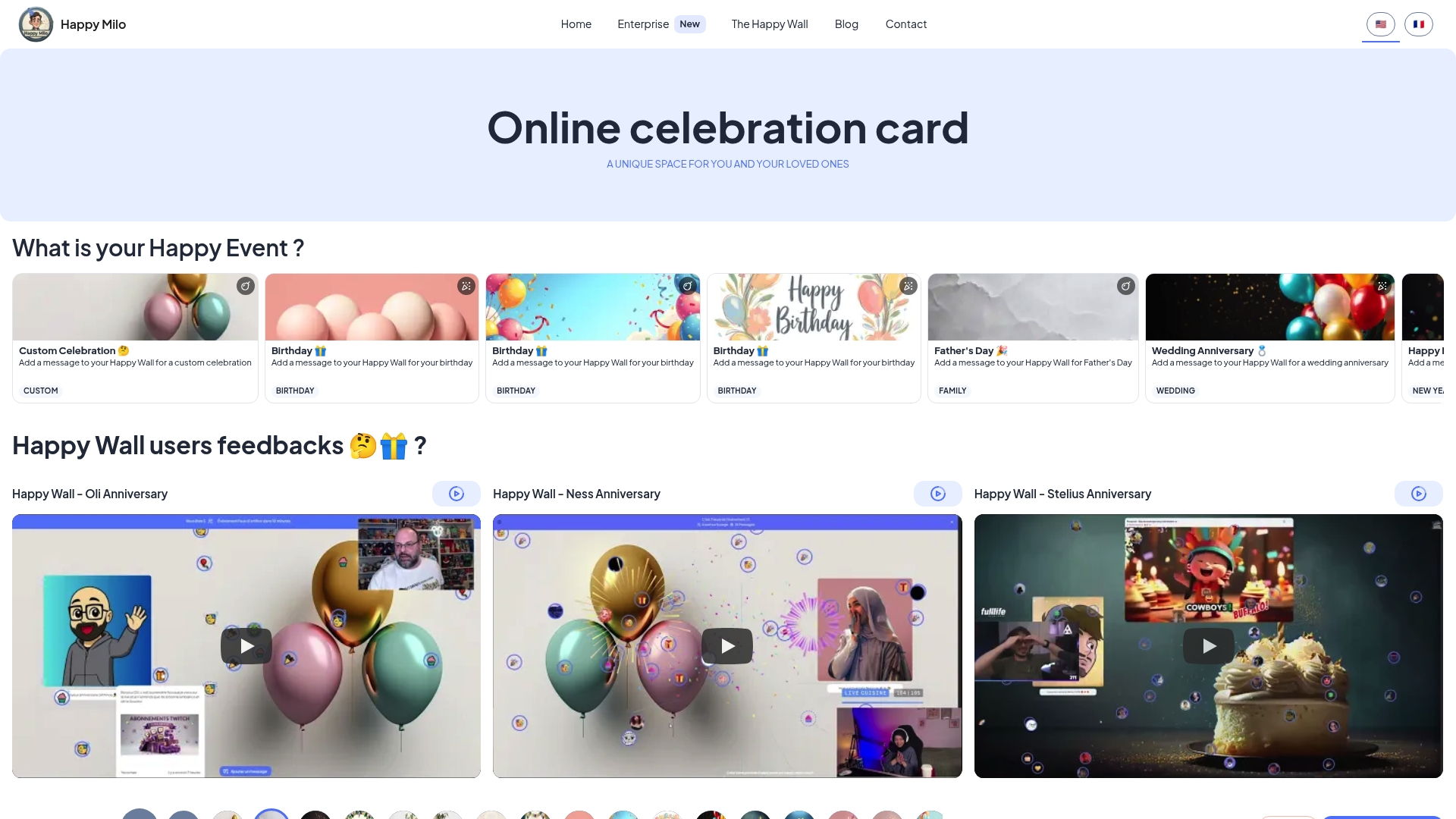
Setting one up takes minutes. Share the link before your stream so guests can add their wishes during or after the event. Virtual fireworks and animations make the wall feel as festive as the stream itself. You can also use Happy-milo's shared celebration agenda to schedule reminders for every important date, so no birthday ever slips by unnoticed. It is the perfect complement to your Twitch birthday celebration.
FAQ
What is an online birthday Twitch stream?
An online birthday Twitch stream is a live virtual birthday party hosted on Twitch, where the birthday person broadcasts to guests who participate through chat, video, and interactive games. It combines streaming tools like OBS Studio with party activities like Jackbox Games to create a shared celebration experience.
How long should a birthday live stream last?
Birthday streams on Twitch typically last 6 to 12 hours, structured with a warm-up period followed by games, a tribute video, Q&A, and a cake moment. Scheduling a new segment every 60–90 minutes keeps guests engaged without fatigue.
Do you need special equipment to host a birthday gaming stream?
You need a webcam, a microphone, OBS Studio or Streamlabs, and an upload speed of at least 5 Mbps. A ring light and a USB condenser microphone like the Blue Yeti significantly improve video and audio quality.
How do you make a virtual birthday party feel personal?
A pre-recorded tribute video montage, personal letters read aloud on camera, and a coordinated birthday toast create the emotional anchors that make a virtual birthday party feel genuine. A digital memory board from Happy-milo lets guests add messages and photos that the birthday person keeps forever.
How do you handle technical problems during a live birthday stream?
Assign a dedicated tech producer to manage OBS and troubleshoot issues during the stream. Prepare a "Be Right Back" scene with music, keep a phone hotspot as a backup internet source, and set OBS to auto-reconnect to Twitch if the stream drops.