


Streamer birthday ideas are curated content segments, interactive formats, and themed visual setups designed to turn a Twitch livestream into a full community celebration. The best birthday streams on Twitch combine structured agendas, audience participation mechanics, and camera-ready decor to keep viewers engaged from the opening countdown to the final toast. Whether you are planning your own Twitch streamer birthday or helping someone else celebrate, the difference between a forgettable stream and a legendary one comes down to preparation, pacing, and knowing exactly which moments to design for your audience. This guide covers every layer of that process, from content formats and interactive games to backdrop setups and technical rehearsal checklists.
1. Best streamer birthday ideas: content segments that keep energy high
The most effective birthday streams use consistent content blocks to build audience anticipation and give your stream a clear, exciting shape. Batching themed segments roughly every two hours keeps the energy from flattening and gives viewers a reason to stay tuned for what comes next. Think of your stream as a live variety show with a birthday theme, not a single long session of gameplay.
Strong content segment ideas include:
- Live unboxing: Open gifts from your community or wishlist on camera. Viewers love the reaction content, and it doubles as a natural thank-you moment.
- Fan Q&A: Pull questions from chat or pre-submitted forms. Keep it rapid-fire to maintain pace.
- Rapid-fire challenges: Speed runs, trivia rounds, or reaction games that viewers can participate in through predictions or polls.
- Live performance or karaoke segment: Sing a birthday song, play a themed playlist, or invite a musical guest via Discord stage.
- Community giveaway: Announce a giveaway mid-stream to spike chat activity and reward loyal viewers.
- Highlight reel: Play a curated clip compilation of your best stream moments from the past year. This creates an emotional peak and fills time naturally.
- Cake or toast moment: A live cake cutting or birthday toast is the emotional centerpiece. Schedule it at the 60-minute mark for maximum impact.
Custom OBS overlays and a countdown intro scene set the festive tone before you even say a word. Use a birthday-themed overlay pack from sites like Nerd or Die or OWN3D to add confetti animations, birthday banners, and alert sounds without building from scratch. A strong visual intro signals to your audience that this stream is different from your regular content.
Pro Tip: Schedule a behind-the-scenes or "birthday recap" highlight reel for the 24 hours after your stream. Post it as a YouTube clip or TikTok to extend the celebration and pull in viewers who missed the live event.
2. How to incorporate interactive audience participation
The biggest performance lever in any virtual celebration is agenda design that keeps viewers active rather than passive. Engagement in virtual events drops fastest without interactive injections every 10 to 15 minutes, so you need a participation plan baked into your run-of-show from the start.
Here are the most effective interactive formats for a birthday stream:
- Twitch polls: Run a poll every 15 minutes on topics like "What game should I play next?" or "Pick my birthday challenge." Polls take 30 seconds to set up and generate immediate chat activity.
- Chat trivia: Ask three to five questions about your streaming history or favorite games. Award channel points to winners. This rewards loyal viewers who know you well.
- Two Truths and a Lie: Share three facts about yourself, two true and one false. Let chat vote. It is personal, fast, and generates genuine reactions.
- Message booth: Ask viewers to record short 15-second video messages and submit them via a form or Discord channel. Collect clips live and play them back in a curated segment later in the stream. This transforms spontaneous viewer goodwill into a polished keepsake moment.
- Assigned guest roles: If you have co-streamers or Discord guests joining, assign them specific roles like joke teller, clue reader for a birthday scavenger hunt, or trivia host. Structured participation reduces improvisation anxiety and keeps the energy focused.
- Birthday bingo: Create a bingo card with stream events like "streamer laughs," "chat spams emotes," or "giveaway announced." Share it in Discord before the stream. Viewers track it in real time and post "BINGO" in chat when they hit a line.
- Channel point redemptions: Set up custom birthday-themed redemptions like "Pick a birthday dare," "Read a birthday message on stream," or "Play a viewer's song request."
Pro Tip: Create a one-page activity sheet as a PDF and share it in your Discord before the stream. Include the bingo card, trivia warm-up questions, and the message booth submission link. Viewers who arrive prepared participate at a much higher rate.
3. Camera-friendly decoration and backdrop ideas for birthday streams
Your visual setup communicates the birthday mood before you say a single word. Camera-friendly DIY decor for livestreams works best when it layers depth without creating visual noise that distracts from your face.
Key decoration principles for streamers:
- One strong focal element: Choose a single backdrop anchor, such as a balloon garland, a fringe wall, or a fabric banner. This gives the camera a clear focal point and prevents the background from competing with you.
- Layered paper fans and streamers: Hang paper fans at varying heights behind your main backdrop element. Twisted streamers add movement and depth that reads well on camera without requiring expensive equipment.
- Soft front lighting: A ring light or softbox positioned in front of you separates you from the background and makes colors pop. Avoid lighting only from behind, which flattens the image.
- Colored fairy lights: String lights in gold, pink, or your brand colors add warmth and a festive glow without overwhelming the frame.
- Doorway frames and streamer arches: If your camera captures a doorway or entry point, a streamer arch creates a party atmosphere that viewers notice immediately.
| Decor element | Cost estimate | Camera impact |
|---|---|---|
| Balloon garland (DIY) | $15 to $25 | High focal anchor, strong color pop |
| Paper fans (pack of 12) | $8 to $12 | Adds depth and layered texture |
| Fringe wall panel | $10 to $18 | Festive shimmer, excellent for close shots |
| Fairy lights (10 ft) | $6 to $10 | Warm ambient glow, low distraction |
| Fabric backdrop | $20 to $35 | Clean, professional background base |
Pro Tip: Balloon garlands and fringe walls photograph and stream better than individual balloons because they fill the frame consistently. Build your garland the night before so you are not rushing on stream day.
4. How to plan the technical workflow for a smooth birthday stream
Running a 15-minute tech rehearsal with your co-host and moderator before going live is the single most effective step you can take to prevent dead air and technical failures. Audio clarity is the most critical technical element. Audio failures cause most drop-offs, so test your microphone, headset, and stream audio before you check lighting or backdrops.
Here is a practical run-of-show structure for a birthday stream:
- Pre-stream setup (30 minutes before): Test OBS scenes including intro countdown, main host shot, slideshow or tribute scene, and closing screen. Confirm all alerts fire correctly.
- Tech rehearsal (15 minutes before): Run through the exact sequence with your co-host and moderator. Test screen sharing, poll creation, and any Discord audio guests.
- Warm-up phase (first 5 to 10 minutes): Open with a birthday countdown overlay and a hype intro. Welcome chat, thank early arrivals, and tease the segments ahead.
- Peak moment (around 60 minutes in): Schedule the cake cutting, birthday toast, or emotional highlight reel here. This is when your concurrent viewer count typically peaks.
- Interactive activity blocks: Run polls, trivia, or the message booth segment in the middle third of the stream to maintain energy between the opening hype and the peak moment.
- Graceful close (final 10 minutes): Thank your community, announce any post-stream content, and play a birthday outro scene with music.
| Stream phase | Timing | Primary goal |
|---|---|---|
| Warm-up | Minutes 0 to 10 | Build energy, welcome audience |
| First content block | Minutes 10 to 40 | Deliver first interactive segment |
| Mid-stream peak | Minutes 40 to 70 | Emotional centerpiece moment |
| Second content block | Minutes 70 to 100 | Sustain engagement, run giveaway |
| Closing | Minutes 100 to 120 | Thank community, tease next stream |
A structured run-of-show for adults works best at 90 to 120 minutes total. Keep a backup device ready with an alternate audio-only connection in case your primary setup fails. Assign your moderator a contingency script so they can keep chat engaged during any technical reset.
Pro Tip: Prepare a "micro-reset" OBS scene, a simple holding screen with music and a "Be right back" birthday graphic, so you can pause for 60 to 90 seconds to fix any technical issue without the stream going dark or silent.
5. Themed party ideas that work specifically for Twitch streamers
Party themes for gamers and streamers work best when they connect directly to your content identity. A theme gives your stream a visual and narrative thread that ties every segment together and makes the celebration feel intentional rather than improvised.
Strong theme options for a Twitch streamer birthday include:
- Retro arcade night: Use pixel art overlays, chiptune music, and 8-bit alert sounds. Run a retro game marathon as your main content block.
- Boss battle birthday: Frame the stream as a series of challenges your chat must help you defeat. Each "boss" is a game, a dare, or a trivia round.
- Speedrun challenge: Attempt a personal best speedrun live. The tension and community cheering create natural emotional peaks.
- Viewer vs. streamer tournament: Invite subscribers to compete against you in a game you all play. This is one of the most popular fun birthday ideas for gamers because it gives viewers direct agency.
- Mystery game marathon: Let chat vote on each game you play next, with options hidden until the vote closes. The suspense keeps viewers watching.
- Charity stream birthday: Dedicate the stream to a cause your community cares about. Charity streams consistently generate higher engagement and media attention than standard birthday streams.
Themed streams also give you a natural framework for streamer gift ideas and giveaways. If your theme is retro arcade, your giveaway prizes can include retro controllers, gift cards for classic game platforms, or custom emote packs. Gifts for gamers that tie to the stream theme feel curated rather than generic, and your audience notices the difference.
6. What to get a gamer for birthday: community gift ideas that work on stream
The best gifts for a Twitch streamer birthday are ones that either improve the stream or become content themselves. Generic gift guides miss this point entirely. A streamer does not just want a nice present. They want something that generates a reaction their audience can share.
Top streamer gift ideas that work on camera:
- Custom emote pack: Commission a set of birthday-themed emotes from an artist on Fiverr or Etsy. Reveal them live on stream and let chat vote on their favorites.
- Upgraded capture card: An Elgato 4K60 Pro or AVerMedia Live Gamer 4K improves stream quality visibly. Unboxing it live is compelling content.
- Custom stream deck skin: A personalized Elgato Stream Deck skin with the streamer's branding makes for a great on-camera reveal.
- Subscription gifting bomb: Organize your community to gift channel subscriptions simultaneously at a set time during the stream. The notification flood is a memorable moment.
- Personalized group card: A digital group card where dozens of community members leave messages, photos, and video clips is one of the most emotionally resonant gifts for gamers because it shows the scale of the community's affection in one place.
- Gaming chair or desk upgrade: If budget allows, a Secretlab Titan or Herman Miller Aeron is a practical gift that improves every future stream.
The celebration technology available to streamers today makes it possible to collect, display, and archive community contributions in ways that were not practical even three years ago. A digital group card that aggregates messages from hundreds of viewers and displays them as a scrollable wall is a keepsake that outlasts the stream itself.
7. Post-stream ideas to extend the birthday celebration
The birthday celebration does not end when you hit "End Stream." The 24 hours after your stream are a high-engagement window where your community is still buzzing and new viewers are discovering your content through clips and highlights.
Effective post-stream celebration ideas for streamers include:
- Clip compilation: Edit a 3 to 5 minute highlight reel of the best moments and post it to YouTube and TikTok within 12 hours. Tag community members who appeared in the message booth segment.
- Thank-you VOD: Record a short 2 to 3 minute thank-you video and pin it to your Twitch channel page. Mention specific viewers by name.
- Discord birthday thread: Open a dedicated thread in your Discord server where community members can continue sharing birthday messages and memories.
- Birthday stream replay: Leave the full VOD up with chapter markers so viewers who missed the live event can watch specific segments.
- Community poll for next stream: Run a post-birthday poll asking your community what they want to see next. This keeps the engagement momentum going and gives you content ideas.
Unique celebration ideas that extend beyond the live event consistently outperform streams that treat the birthday as a single-day event. Your community wants to keep celebrating with you. Give them a structure to do that.
Key takeaways
The most successful streamer birthday ideas combine a structured content agenda, interactive participation mechanics, and a camera-ready visual setup to create a celebration your community remembers long after the stream ends.
| Point | Details |
|---|---|
| Structure your agenda | Use warm-up, peak moment, interactive blocks, and a graceful close across 90 to 120 minutes. |
| Inject interaction every 15 minutes | Polls, trivia, and message booth segments prevent viewer drop-off and keep chat active. |
| Design one strong backdrop | A single focal element with layered paper fans and soft front lighting reads best on camera. |
| Rehearse your tech first | Test audio before anything else; assign a moderator a contingency script for technical resets. |
| Extend the celebration post-stream | Clip compilations, thank-you VODs, and Discord threads keep community energy alive after the stream. |
Celebrate with Happy-milo's digital group cards
Your birthday stream deserves a keepsake as memorable as the celebration itself. Happy-milo's Happy Wall lets your entire community leave messages, photos, and video clips in one shared digital space, creating a scrollable wall of birthday love you can display live on stream or revisit any time. Unlike a single chat log that disappears, a Happy Wall collects unlimited contributions from your viewers and presents them as a beautiful, permanent memory.
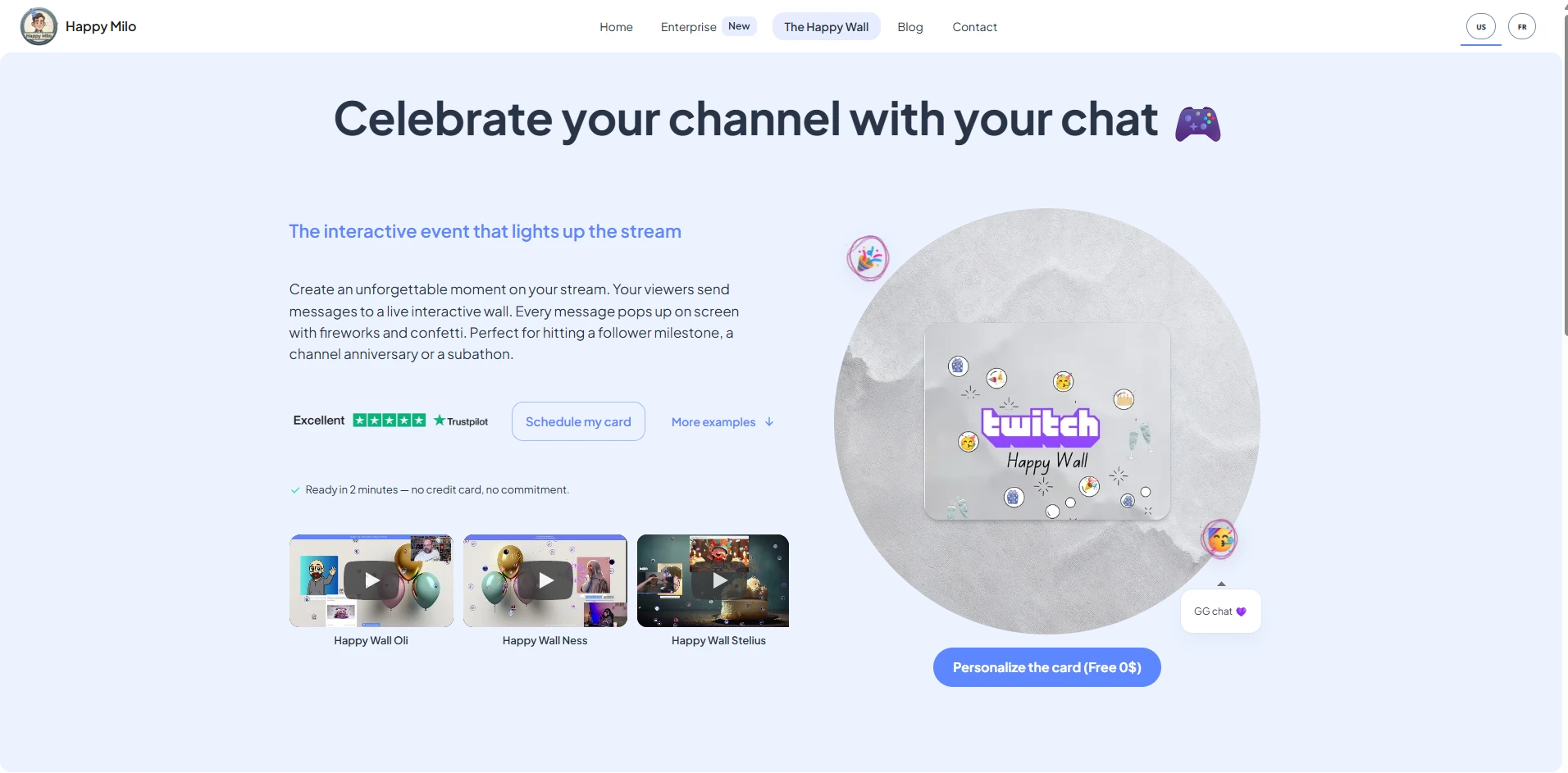
Set up your Happy Wall before your stream goes live, share the link in your Discord and chat, and watch your community fill it with birthday wishes in real time. Happy-milo also offers a shared celebration agenda so you never miss an important date in your community's calendar. Start your digital group card today and give your birthday stream the community moment it deserves.
FAQ
What are the best streamer birthday ideas for Twitch?
The best Twitch streamer birthday ideas combine structured content segments like unboxings, fan Q&As, and giveaways with interactive mechanics like polls, trivia, and message booths. Batch themed blocks every two hours and anchor the stream with one emotional peak moment like a cake cutting or highlight reel.
How long should a birthday livestream be?
A birthday livestream for adults works best at 90 to 120 minutes, structured with a warm-up, interactive activity blocks, a peak moment, and a graceful close. Streams shorter than 60 minutes rarely build enough momentum for a memorable celebration.
How do I keep viewers engaged during a birthday stream?
Inject interactive elements every 10 to 15 minutes using Twitch polls, chat games, or channel point redemptions. Engagement drops fastest without these participation moments, so build them into your run-of-show before the stream starts.
What are good gifts for a gamer's birthday?
The best gifts for gamers who stream are ones that create on-camera moments or improve stream quality. Custom emote packs, subscription gifting bombs, upgraded capture cards like the Elgato 4K60 Pro, and personalized digital group cards from Happy-milo all work exceptionally well as streamer gift ideas.
How do I set up a camera-friendly birthday backdrop?
Choose one strong focal element like a balloon garland or fringe wall, layer paper fans behind it for depth, and position a ring light or softbox in front of you. Layered decor with strategic lighting creates visual depth without distracting from your face on camera.