
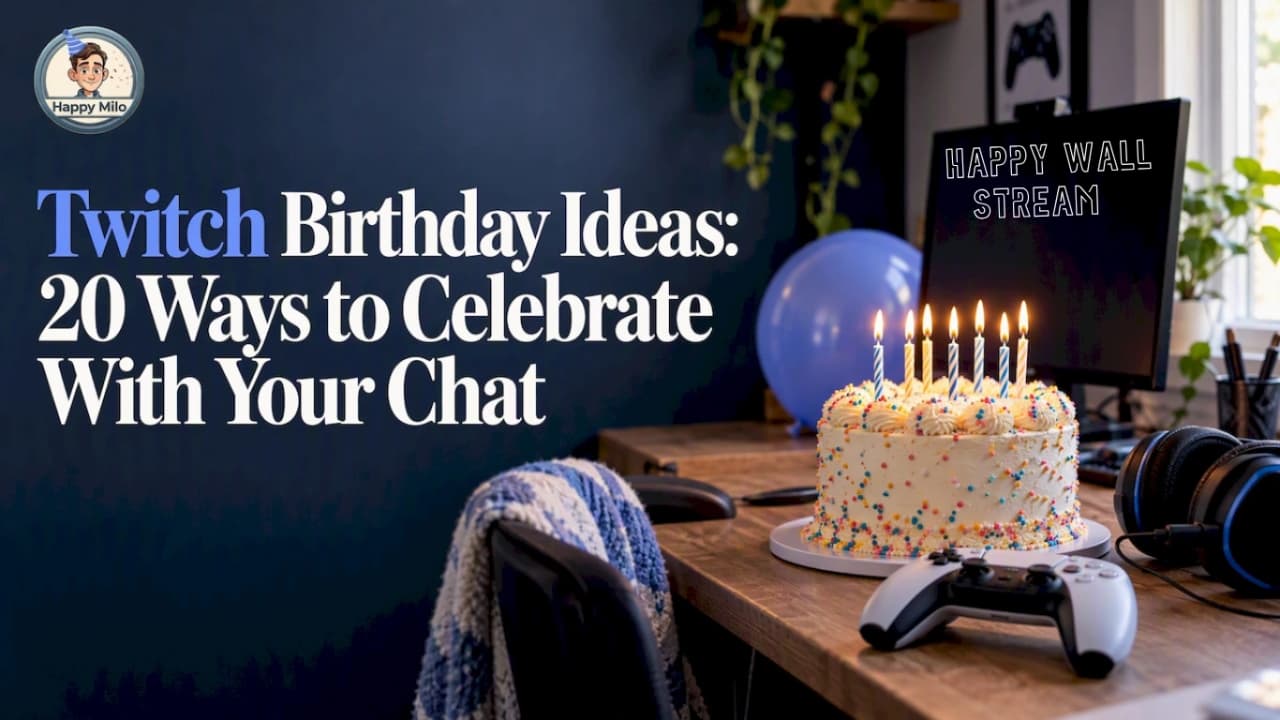

The best Twitch birthday streams do one thing well: they make your community the guest of honor and the party at the same time. Pick one big interactive moment (a game chat controls, a subathon goal, a viewer-voted dare), add a few small traditions, and give people a place to leave a real message instead of a fleeting emote. This guide gives you 20 ideas, a sample schedule, and a simple way to keep every kind word long after the stream ends.
Key takeaways
- Build your birthday stream around one headline activity and two or three small rituals, not a packed list of everything.
- Interactive formats (chat-controlled games, votes, community challenges) beat passive ones, because viewers become part of the story.
- Chat scrolls away fast. A shared message wall, such as a Happy Wall, keeps wishes, photos and inside jokes in one place you can read on stream and keep afterward.
- Plan the date, the length and the goals ahead of time, and announce them a week out so regulars can show up.
- Your account birthday is not something you can casually change, so decide what you share publicly before the day.
What makes a Twitch birthday stream feel like a party
A birthday stream is different from a normal Tuesday. Your viewers know it is your day, they want to give something back, and they are often looking for a reason to do more than lurk. That is your opening.
Three ingredients show up in nearly every birthday stream worth remembering:
- A shared goal. Hitting a follower, sub or donation target, or finishing a challenge together, gives the room a direction.
- A way to take part. Votes, chat commands, channel point redemptions, bring-your-own-wish moments.
- A memory that lasts. Clips, a recap, and the messages people wrote for you.
The ideas below are grouped by the kind of energy you want. Mix and match, but keep the total realistic. Industry guides such as the Streamers Playbook list of 25 birthday stream ideas and TurboStreamer’s roundup show how wide the field is, and the common thread is that the community does something with you rather than just watching you.
Interactive game ideas
Games are the natural home of a Twitch party. Choose formats where chat can influence what happens.
1. Let chat pick the games
Post a shortlist of five games, run a poll, and play the winners in order. Include one comfort game, one chaotic party game, one you are terrible at, and one you have been avoiding. People love voting for a streamer’s mild suffering on their birthday.
2. Party games the whole chat can join
Browser party games where viewers join with a code turn chat into players. Jackbox-style drawing, trivia and bluffing games work well because nobody needs to own the game. Keep rounds short so latecomers can jump in.
3. Viewers versus you
Set up a match where chat votes on each move and you play against them. Turn-based games suit this best, since votes need time to come in. A browser chess site with community voting modes, such as Democratic Chess, lets your audience play one side together while you take the other. Announce the stakes: if chat wins, you do the dare.
4. The birthday boss rush
Pick a game you know well and replay its hardest bosses with a viewer-chosen handicap each time: no healing, one-hand controls, a silly loadout. Each handicap is a small story chat will remember.
5. Bingo for the stream
Build a bingo card of things that tend to happen on your streams (a rage quit, a pet cameo, a famous catchphrase) and let viewers play along. Prizes can be as simple as a shout-out or a custom emote slot.
Community challenge ideas
Challenges give the day a spine and a measurable finish line.
6. A birthday subathon, scaled to your size
A subathon adds time to the clock when viewers subscribe, follow or donate. It is the classic format, and it is also the easiest to overdo. If your audience is small, set a fixed length (say six hours) and unlock activities at milestones instead of extending the timer without limit.
7. Age-based challenge
Turning 27? Complete 27 small tasks in 27 minutes, or take 27 viewer-suggested dares through the day. Spreading the number across the schedule gives you a built-in structure.
8. Goal ladder
Create a simple ladder: at 25 new followers you wear a silly hat, at 50 you do an impression, at 100 you sing. Keep every reward something you are comfortable doing live.

9. Cake to the face, reimagined
The cake-in-the-face moment is a staple of birthday stream lists, including the one at Streamers Playbook. If you want to try it, tie it to a goal and put a tarp down. A tamer version: let chat vote on the cake flavor you have to eat blind.
10. Charity birthday
Some streamers ask for donations to a cause instead of gifts. If you do this, name the organization up front, show where donations go, and keep any fundraising in line with the rules of the platform you are using.
Ideas that bring your community into the spotlight
This is where a good birthday becomes a great one. Your viewers made your channel; let them show up on screen.
11. A message wall, read live
Instead of hoping people type something memorable in chat, open a shared wall before the stream and share the link. Viewers can add a message, a photo or a wish whenever they like, from any time zone, including people who cannot be there live. During the stream, you scroll through the wall and react in real time. When the moment arrives, the wall comes alive with music, confetti and animation, which makes a perfect centerpiece for the mid-stream energy peak.
This is exactly what Happy Wall is built for. It is free to create, there is no limit on how many people can add to it, and it works the same for a Twitch audience as for a family or an office team. We go deeper on this approach in our guide to Twitch stream anniversary ideas and saving chat messages.
12. Viewer shout-out hour
Dedicate an hour to your regulars. Read their wishes, thank them by name, and ask each one for a favorite memory from your channel. This works especially well after you have collected messages in advance, because you will not be scrambling to find the good ones.
13. Fan art and clip showcase
Ask viewers to submit fan art, edits or favorite clips ahead of time. Watch them together in a segment, with commentary. It tells people their work matters.
14. Moderator and friend takeover
Hand the show to a mod, a fellow streamer or a friend for 30 minutes. They can run a quiz about you, reveal embarrassing photos you agreed to, or play a game while you sit back as the guest.
15. Time capsule
Ask chat to predict what you will be doing a year from now, then read the predictions on your next birthday. Saving them somewhere permanent makes this possible. A wall kept as a digital keepsake does the job, and if you want something to hold, the same messages can become a printed card.
Cozy and creative ideas
Not every birthday has to be loud. If your channel leans calm, these fit better.
16. Birthday art or craft stream
Paint, build a model, cook a favorite recipe, or decorate cupcakes on camera. Viewers vote on colors, toppings or themes.

17. Q&A with a twist
Run a question-and-answer session where each question must be about a year in your life: the best moment, the biggest fail, the thing you learned. Add a lightning round for fun facts.
18. Throwback stream
Play the first game you ever streamed, or the one that got you into gaming, and share how your channel has changed. It doubles as a thank-you to the people who were there at the start.
19. Watch party
Pick a favorite movie or a stack of memorable clips and watch it with chat. Keep it light, check the rules for any content you share, and use the downtime to read messages from your wall.
20. Virtual party room
Decorate your overlay and scene with a birthday theme: balloons, a countdown, confetti alerts. Custom overlay packs exist if you want a ready-made look, but a simple color palette and a handful of alerts are enough.
A sample run of show
Here is one way to shape a four-hour birthday stream. Adjust the length to your usual schedule, because a stream that is far longer than your normal one can leave you tired and your chat thin.
| Time | Segment | Purpose |
|---|---|---|
| 0:00 to 0:20 | Welcome, goals and rules | Explain what chat can do today |
| 0:20 to 1:20 | Chat-picked game block | Get everyone voting early |
| 1:20 to 1:40 | Message wall reading | Mid-stream emotional high |
| 1:40 to 2:40 | Party games or viewers-versus-you match | Peak energy, easy to join |
| 2:40 to 3:10 | Cake, dare or goal reward | The photo moment |
| 3:10 to 3:50 | Community showcase | Fan art, clips, shout-outs |
| 3:50 to 4:00 | Thank-you and what comes next | Close with gratitude |
Place the message wall in the middle, not at the end. Energy tends to peak mid-party, and reading kind words while the room is full gives them more weight than reading them to a draining chat.
Planning checklist: what to do before the day
- Pick the date and time at least a week ahead, and post it in your channel schedule and social accounts. If your birthday falls on a weekday, consider celebrating on the nearest weekend when more people can join.
- Choose one headline activity. Everything else supports it.
- Open your message wall and share the link in your panels, Discord and social posts, so people can contribute before the stream and during it.
- Set your goals and rewards. Make them clear, achievable and comfortable for you.
- Test your alerts, overlays and polls the day before.
- Brief your moderators on what is planned so they can keep chat lively and safe.
- Prepare a recap. Save clips and note highlights while they are fresh.
If you juggle many dates (your own, channel anniversaries, a friend’s birthday), a planner helps you remember to open things in time. Happy Agenda is made for exactly that.
Should you put your real birthday on Twitch?
Twitch asks for your date of birth when you create an account, and its help center says that changing it is generally only required when you appeal an age suspension. Twitch’s guidance is that it is used to check you meet age requirements, so enter an accurate date, since you cannot freely edit it later.
That is separate from what you tell your audience. You choose what to share on stream. Some streamers celebrate on a different day than the real one, or announce a “channel birthday” rather than a personal one, and keep the exact date and year private. If privacy matters to you, decide this before you post anything. If you are under 18, check Twitch’s rules and talk to a parent or guardian before running any fundraising or giveaway.
Does a birthday stream help your channel grow?
It can, as a community moment, but treat it as a thank-you rather than a money event. Income data for streamers is sobering: analysis for 2026 suggests that reaching $1,000 a month typically takes a mix of revenue streams, with roughly 200 to 400 subscribers plus ads, bits and sponsorships, and that growth at higher levels depends on community engagement rather than gameplay alone. A birthday stream is one of the easiest ways to practice that engagement: people vote, write, share and come back.
Keep the messages after the stream ends
A birthday stream fades quickly. Chat logs are hard to search, clips capture one moment, and a viewer’s heartfelt message from hour three is gone by hour four.
A wall solves that. Here is how it works with Happy Milo:
- Create your wall for free. There is no cap on contributors, so your whole community can join.
- Share the link in chat, on Discord and in your social posts. People add messages, photos or wishes whenever they want.
- Open it on stream at your chosen moment and watch it light up with music, confetti and animation.
- Keep it. For 2,99 € one-off, your wall has no expiration, so it stays available as a digital keepsake.
- Print it. If you want something physical, Happy Box DIY is 8,00 € for a print-at-home kit, and Happy Box Premium is 16,90 € for an assembled printed card.
Most features carry no recurring fee. If you run a team, a studio or a community that celebrates often, an enterprise membership is available at 15 € per month, as listed on the pricing page.
And if you are the viewer or moderator planning the surprise, you can do it in reverse: create the wall for the streamer, share it with the community, and present it live on their big day. It is a gift that costs nothing to give and means a lot to receive.
Common mistakes to avoid
- Doing too much. Five headline activities means none of them land. Choose one.
- Running far longer than your audience can follow. Match your usual stream length unless you have a real reason not to.
- Ignoring the small viewers. Read messages from first-time contributors too, not only the loudest regulars.
- Hiding the goals. Put targets and rewards in a visible panel or overlay.
- Forgetting to save it. Clip the best moments, and keep the messages somewhere permanent.
FAQ
What are good Twitch birthday stream ideas for a small channel?
Keep it intimate and interactive. Let chat pick the games, run a short Q&A, read messages from a shared wall, and set a modest goal such as a handful of new followers. With a small audience, personal attention matters more than big production.
How long should a birthday stream be?
About as long as your normal stream, or an hour or two longer if your chat is strong. Plan a schedule with a clear peak in the middle and a thank-you at the end, rather than aiming for an endurance record.
Can viewers plan a surprise for a streamer’s birthday?
Yes. Moderators and fans can create a shared wall, collect messages and photos in secret, and then reveal it during the stream. Coordinate with a mod or a friend of the streamer so the timing works.
Should I share my real birthday on Twitch?
Twitch requires an accurate date of birth at sign-up and limits changes to age-suspension appeals, per its help center. What you reveal to your audience is your choice, and you can celebrate on a different day if you prefer privacy.
Sources
- Twitch Help: Date of Birth Changes
- Streamers Playbook: Birthday Stream Ideas
- TurboStreamer: 20 Unique and Fun Birthday Stream Ideas
- BizToolkit: How Much Do Twitch Streamers Make in 2026?